Business
Resumes, recruiting profiles, and company pages
 CareerShotGet launch updates
iOS app · Preparing for the App Store
Choose a role and turn one clear photo into professional portrait options for resumes, recruiting profiles, and career pages.
AI example only. Results vary by source photo and model output.

The intended outcome
CareerShot aims to keep the same recognizable person while adapting wardrobe, background, lighting, and framing. You review every result before saving.

AI-generated example, not a customer case study. Results vary by source photo and model output.
How it works
Choose your photo and a career direction, review two generated options, confirm that the result still looks like you, then save an HD selection. The screenshot is from the working native iOS app.
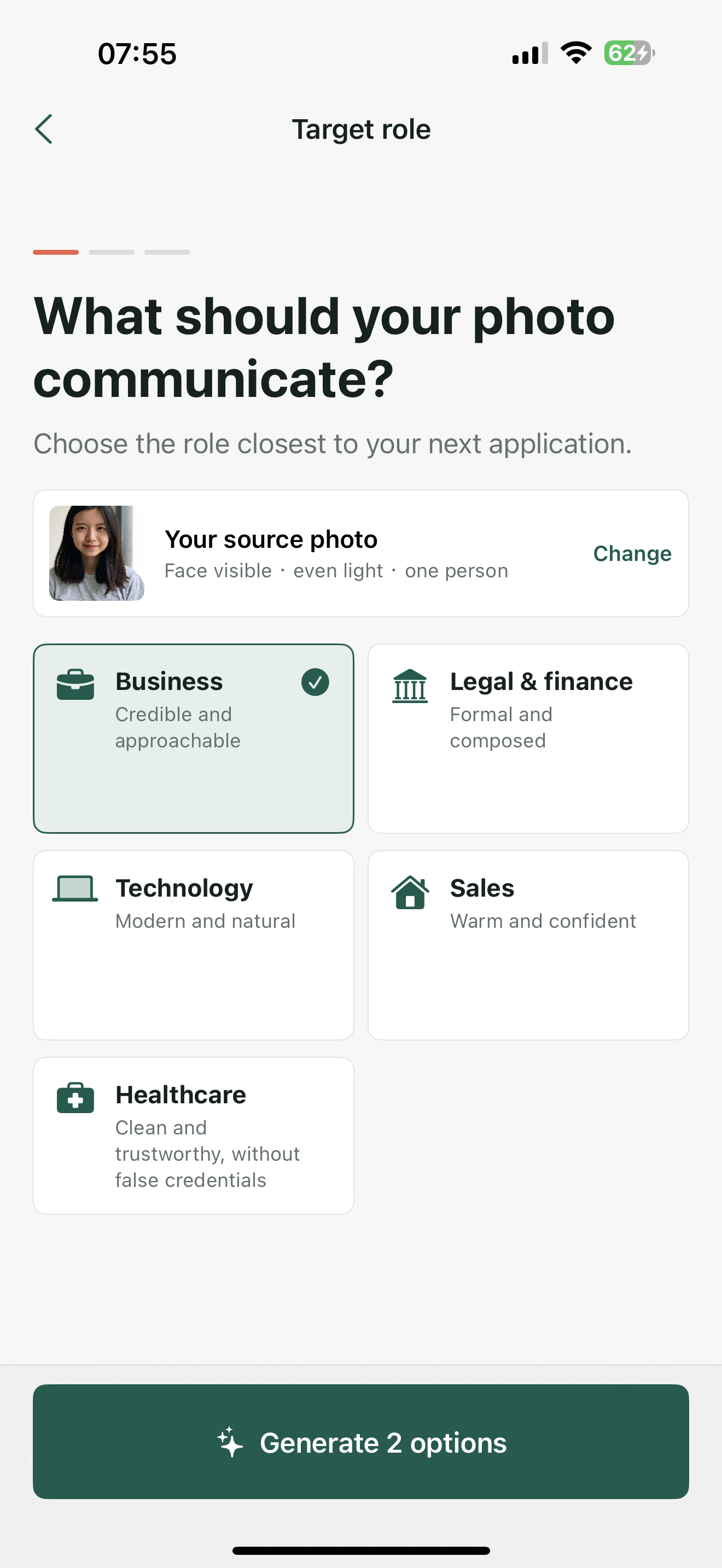
The first release focuses on common job-search contexts instead of creating choice overload with dozens of templates.
Resumes, recruiting profiles, and company pages
Formal, dependable, and composed
Modern, natural, and professional
Approachable, confident, and credible
Clean, warm, without fabricated credentials
Healthcare, legal, and finance contexts need particular restraint. CareerShot is designed not to generate employer logos, badges, or qualification text. Before saving, users should check the face, clothing, text, hands, and background.
CareerShot is preparing for App Store submission. We will add the official download link here after Apple approves the app.
CareerShot is preparing for App Store availability. We will add the official download link here after Apple approves the app.
CareerShot aims to preserve your recognizable identity and facial features while adapting wardrobe, background, lighting, and professional presentation. It cannot guarantee that every result is accurate, so review each option and use only one that still represents you.
Use a clear, front-facing photo of yourself with even lighting and a visible face. Occlusion, blur, extreme angles, or strong backlighting can make inaccurate results more likely.
It can be a candidate portrait for those professional materials, but you should first verify that the face, clothing, text, hands, and background are accurate and comply with the requirements of the platform or employer.
Each generation session provides two options: one with a restrained professional setting and one with a clean studio-style gradient. Review both before deciding whether to save a suitable HD image.
The first release covers Business, Legal & Finance, Technology, Sales & Real Estate, and Healthcare. These are presentation directions, not evidence of a professional qualification or employment relationship.
No. CareerShot should not fabricate employer logos, badges, hospital affiliations, or qualification text. Legal, finance, and healthcare users should be especially careful to verify that every detail is truthful before use.
Yes. When you request generation, your photo is sent to the CareerShot server and processed by the currently enabled BFL image model. We send only the photo and instructions needed for the requested generation. See the Privacy Policy for details.
The original upload is deleted after the request finishes, and generated results are retained by default for no more than 24 hours. To request deletion of identifiable photos or results, email support with the request time, email address, or generation identifier; do not email the original photo.
Confirm that the image still clearly represents you, then check the hair, clothing, background, hands, text, and lighting. Do not use a result that is inaccurate, misleading, or unsuitable for the professional context.
Tell us your career context and we will let you know when CareerShot is available on the App Store.